Domains
Confirm and track a domain
Check ownership status for an assigned domain and follow the setup state; an operator handles activation.
- Ownership verification state
- Domains assigned to your account

For existing private clients, the panel shows assigned domains, mailbox reservations, storage and activity. Available actions depend on your access; requests do not change the mail service until an operator applies them.
These screens illustrate a client workspace, mailbox reservations, alias requests and an activity record. What you can see or request depends on your assigned access.
 panel.moxi.email/workspace
Client panel preview
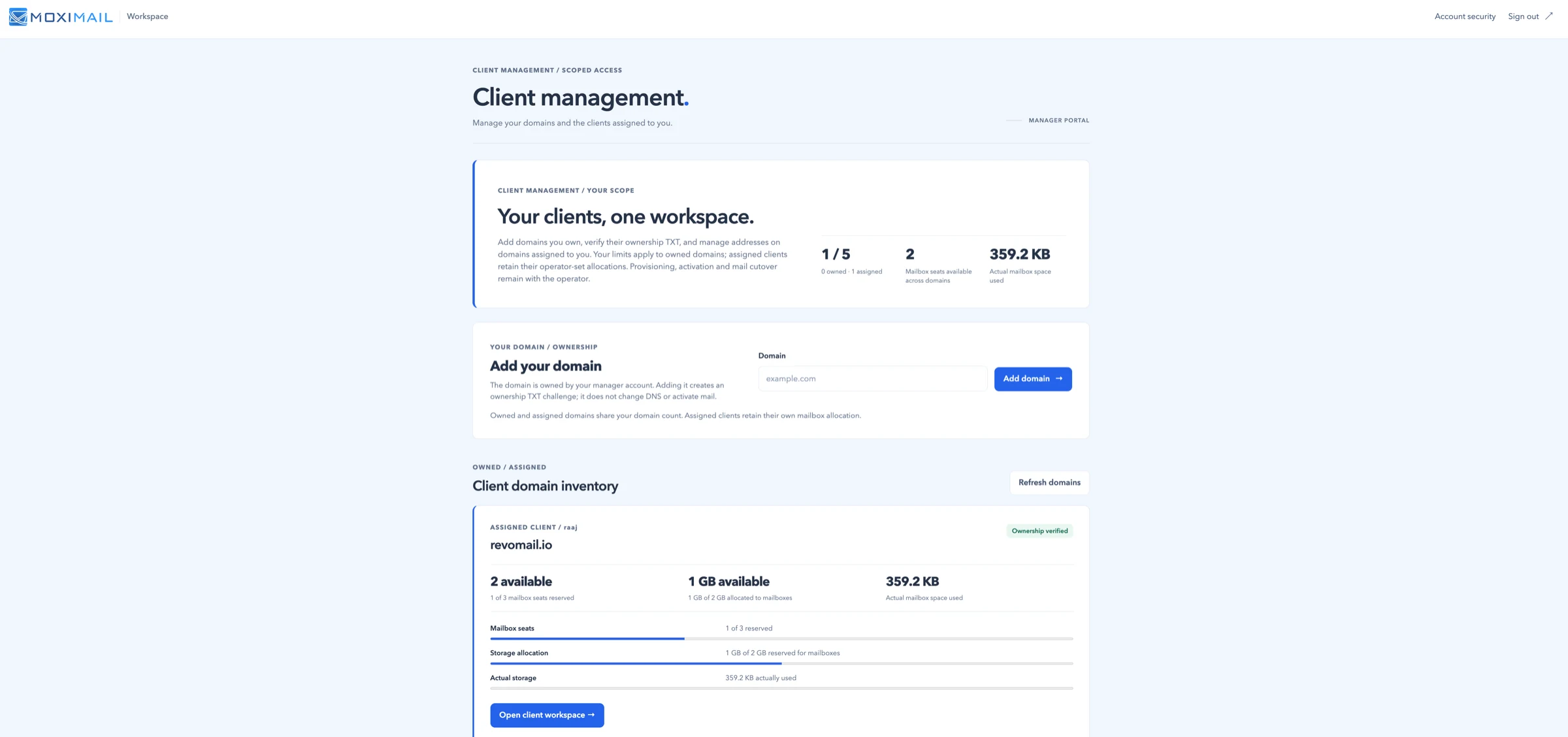
See the domains assigned to your account, with available seat counts, storage and verification state. Adding a domain is a request subject to operator review.
panel.moxi.email/domains/revomail.io/mailboxes
Mailboxes
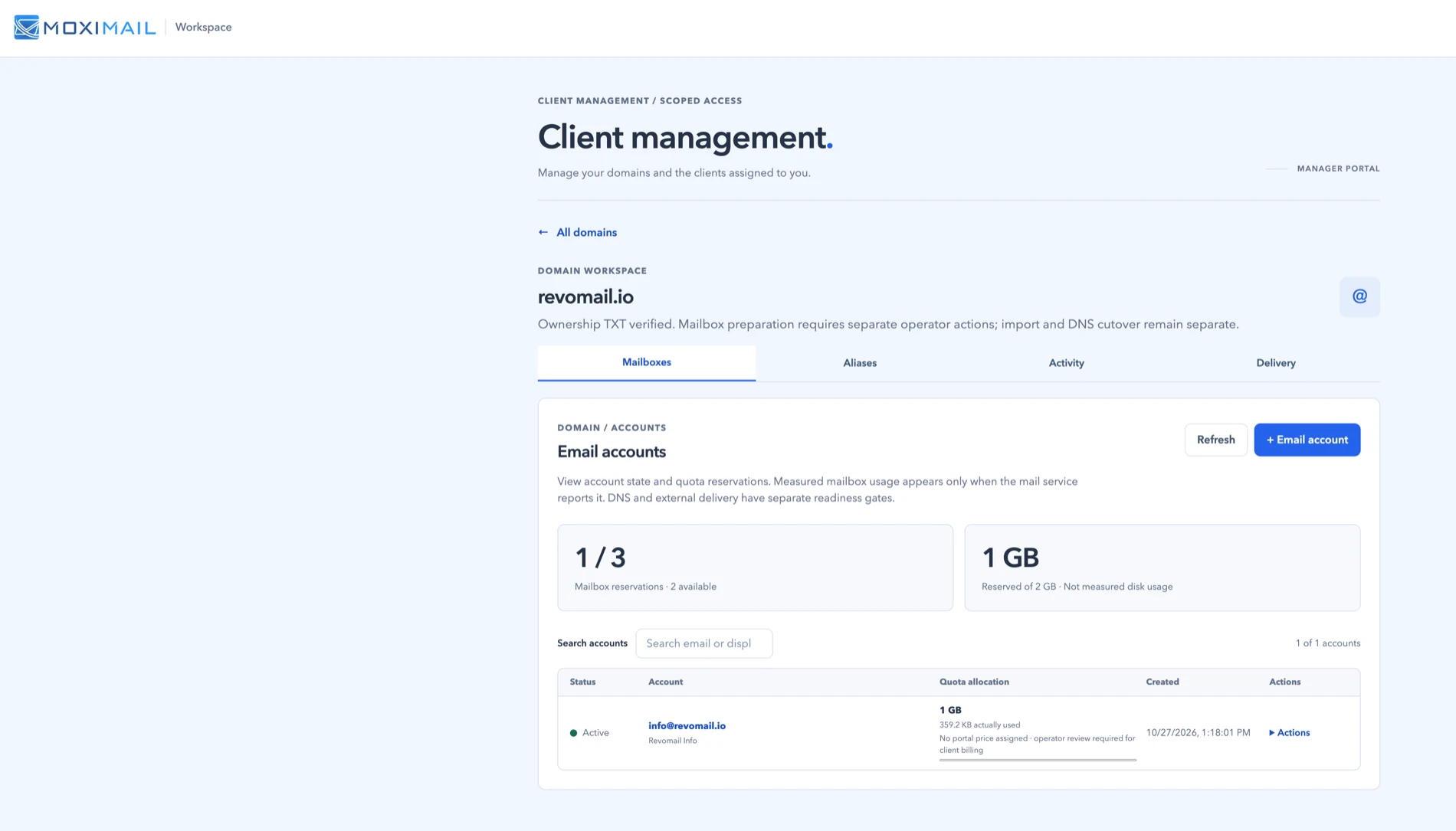
Reservations, reserved storage and per-account quota allocation — measured separately from real disk usage.
panel.moxi.email/domains/revomail.io/aliases
Aliases
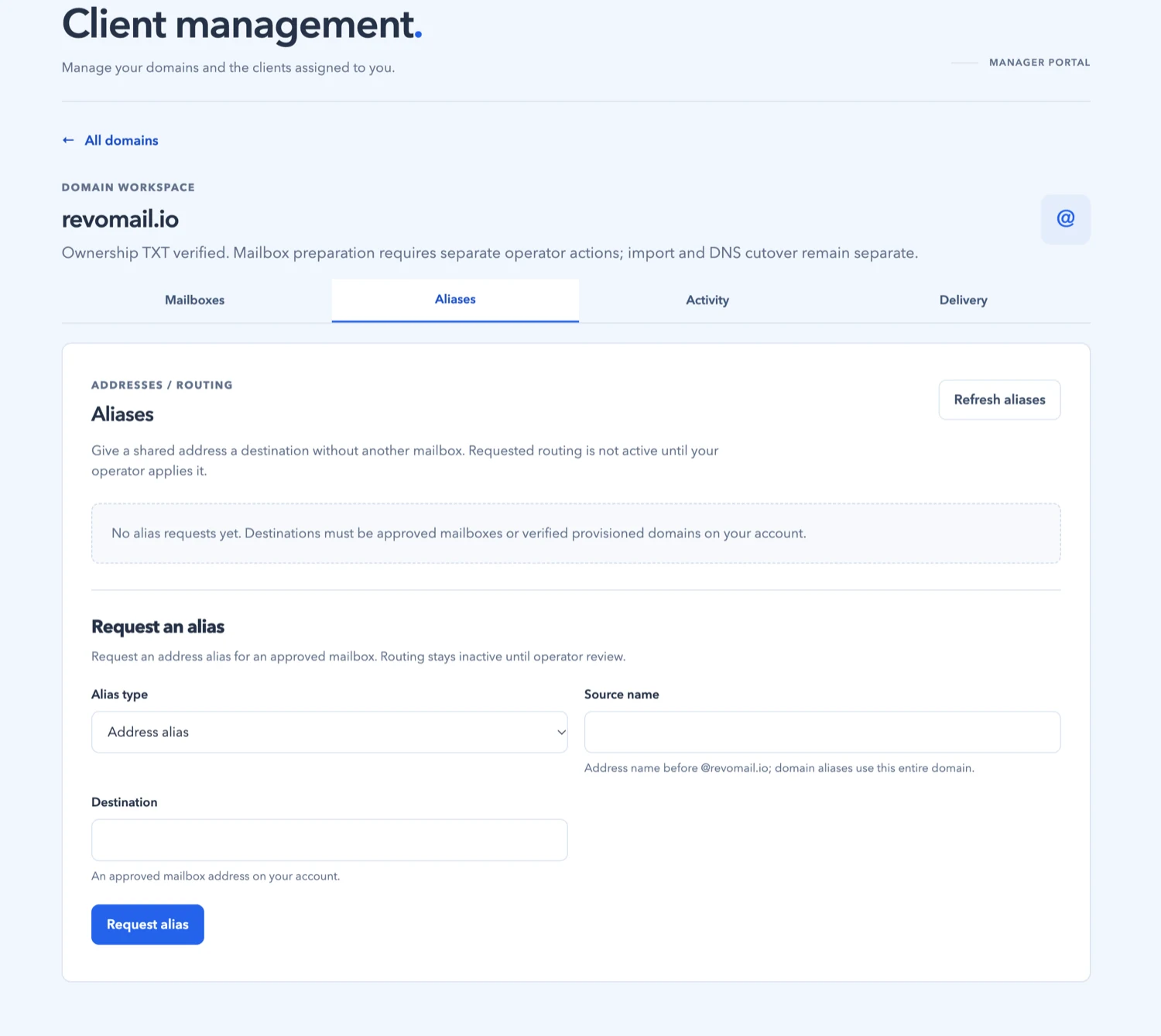
Request an address that routes to an existing mailbox, subject to operator approval. Routing stays inactive until your operator applies it.
Requests are recorded as they are made. A recorded request does not mean it has been applied to your mail service.
panel.moxi.email/domains/revomail.io/activity
Activity
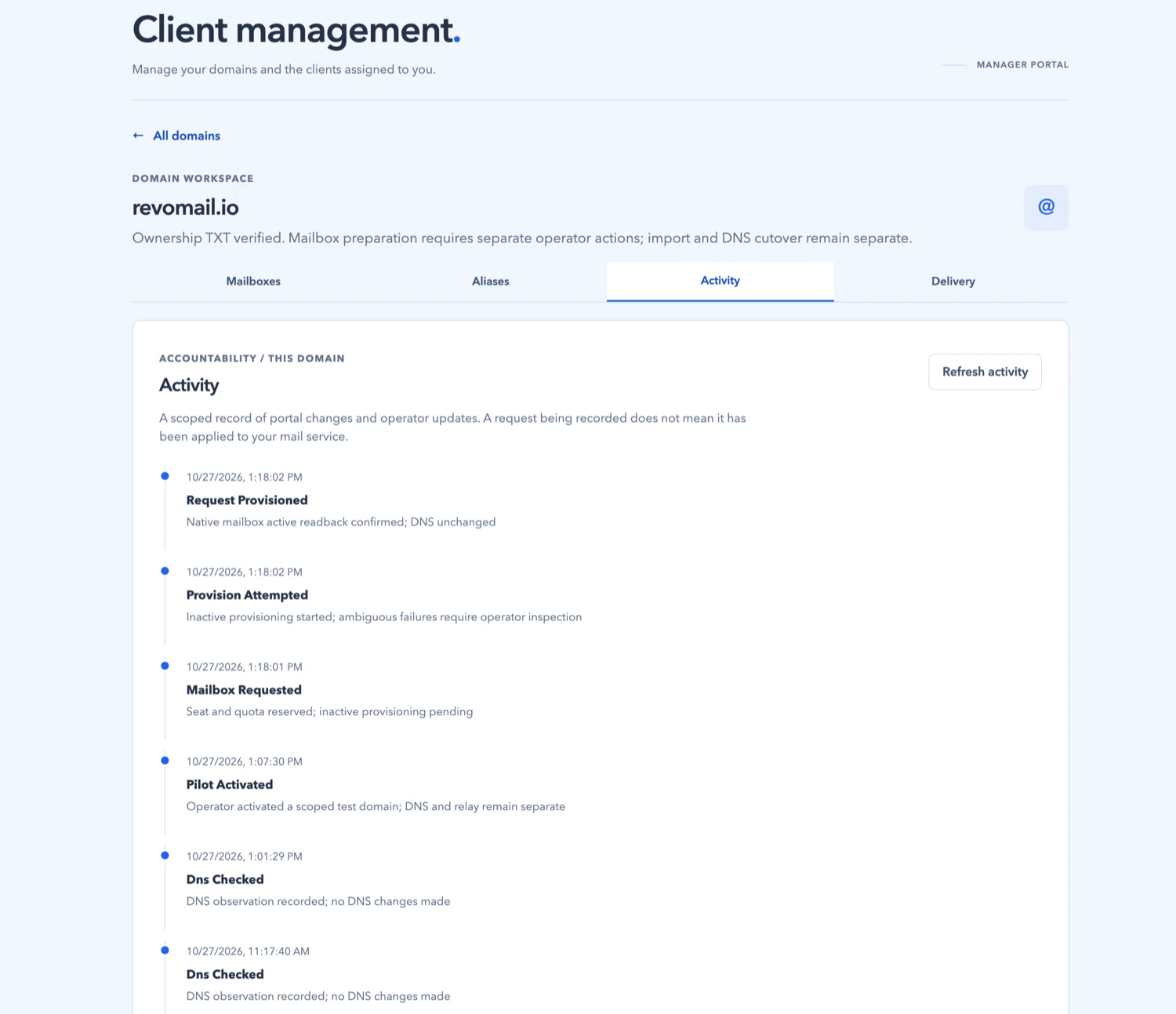
See recorded requests and operator updates for an assigned domain. This timeline is not a complete delivery or service-change log.
Panel access is limited to assigned client domains and permitted actions. Mail users use SnappyMail for email; requests in the panel require operator action before taking effect.
Check ownership status for an assigned domain and follow the setup state; an operator handles activation.
See reservations, reserved storage and per-account quota allocation separately from real usage; changes are operator-gated.
Request a shared address with a destination mailbox, subject to operator review.
Tell us about the domains and mailboxes you look after so we can discuss available access and plans.
Share the details below so we can discuss private-client access.