Business email on your domain

Email that looks like your business.

Use your own domain, keep your mail close, and work from a clean webmail built for your day. Choose a plan and set up your account online.

IMAP & SMTPCalendarContactsTasks on select plans

Moving from another provider? Import messages and folders in the client panel when your provider supports secure IMAP; mail delivery changes separately.

FIG. 01 MAIL SERVICE DOMAIN · MX · SPF · DKIM · DMARC REV 2026.11 SCALE 1:1
Client panel

Your whole account, one private place

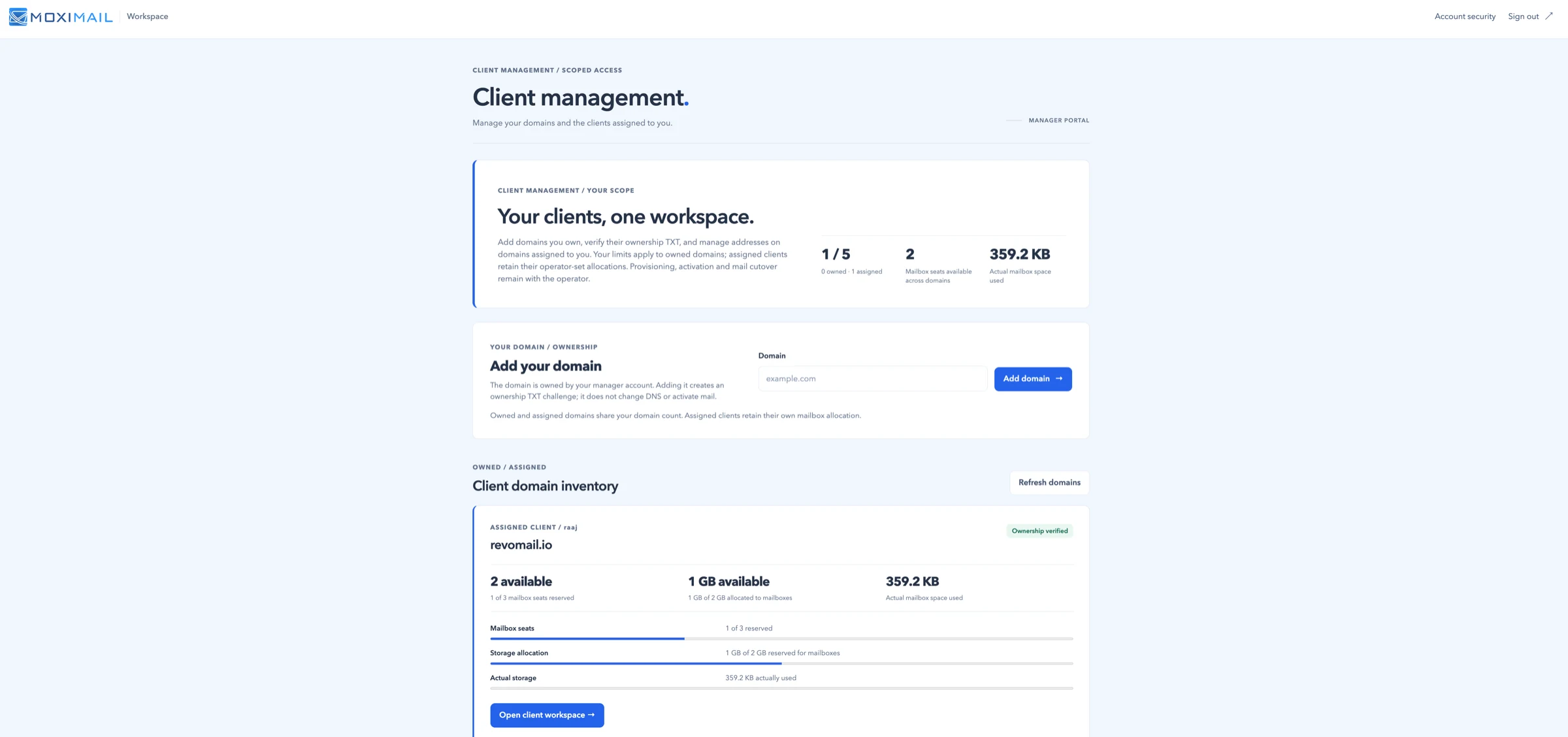
View your domains, mailboxes and storage together. After checkout, verify your email and domain, then continue mailbox setup in the panel. You decide when to change where new mail arrives.

Explore the client panel
panel.moxi.email/workspace Client management
Illustrative MoxiMail client-panel preview showing domain and mailbox allocations, storage and an ownership-verification example.
FIG. 02

Your clients, one workspace

Domains assigned to you and their mailbox allocations appear in a private workspace.

Mailbox plans

Simple per-mailbox pricing

Each listed plan includes webmail, IMAP/SMTP access, separate calendar and contacts access, and a client dashboard. Prices are in USD per mailbox; purchase and verified setup are available online.

Lite

$1/ mailbox / month

A single address for a solo business or a small shared inbox.

  • Up to 25 GB per mailbox
  • 1 domain
See Lite

Enterprise

$2.10/ mailbox / month

For larger teams with many domains and heavier storage.

  • Up to 50 GB per mailbox
  • 25 domains
See Enterprise
Questions

Good to know before you start

Straight answers about setup and everyday use.

Read all questions
Can I use my usual mail app?

IMAP and SMTP provide access from phone and desktop mail apps. Calendar and contacts use a separate sign-in; compatibility varies by app.

Will my domain switch over automatically?

No. Confirming your domain or creating mailboxes does not redirect mail. You choose when to update where new messages arrive.

Can I bring my old messages?

Import messages and folders from a compatible secure IMAP provider in your client panel. An import does not switch new mail over automatically; ask us for help if your provider needs another method.

Can I use MoxiMail for bulk or mass email?

No. MoxiMail is for normal one-to-one business email and transactional messages, not bulk campaigns or mass mailing.

Let’s talk

Ready for email on your domain?

Choose a plan to purchase and set up your account online, or contact us about an assisted import or other questions. Changing where new mail arrives is a separate step.

What to include

Share these details so we can discuss your setup.

  • Your domain name
  • How many mailboxes you need
  • Whether you are moving from another provider
Send an enquiry
